
 Video
VideoSimply pressing down the lever enables beautiful printing before or after sealing.
PTC heater is used to raise the temperature quickly, making it an economical printer with low power consumption.
Hot Stamp Printer
Beautiful printing with simple operation
HP-362-N3
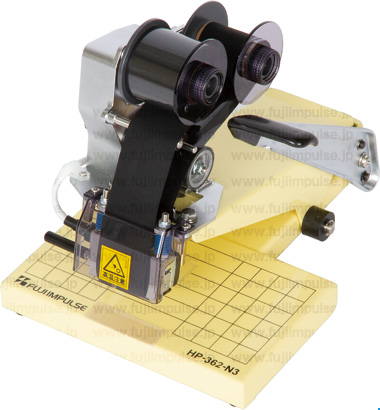
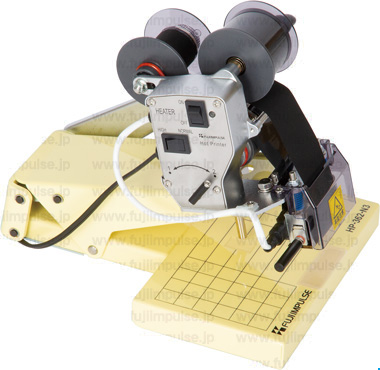
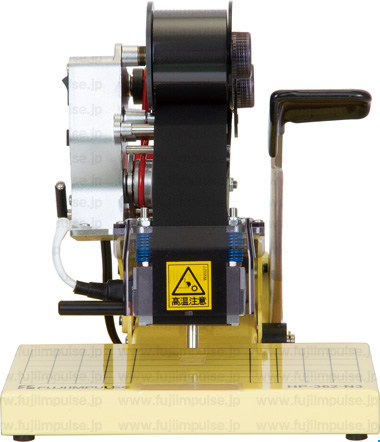
Set the pouch and gently press down the hand lever.
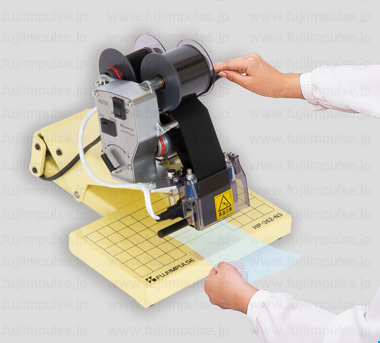
Hold the lever down for about 0.5 seconds.
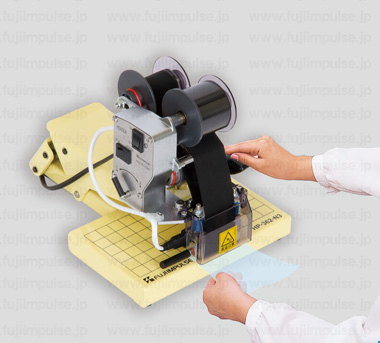
Release the lever to complete the printing.
■ Why FUJIIMPULSE Persists in Making Hot Stamp Printers
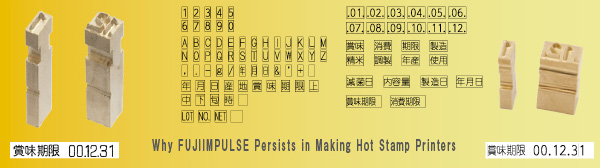
Main Features
Applications and Features:
Handheld Printer, Two-Line Printing Device (Also One-Line Printing Capable)
Operating method:
Manual
Printable packaging materials:
KOP, NY/PE, PE, Paper and other surfaces that are not rough or uneven.
However, printing quality may vary with the packing material.
Feel free to request a print test before purchase.
■Overview of HP-362-N3
Simply pressing down the lever enables clear printing before or after sealing.
PTC heater is used to raise the temperature quickly, making it an economical printer with low power consumption.
HP-362-N3 is a two-line printing device, and its content can be changed by replacing the type.
■ Light Lever Operation for Printing
A gentle press of the lever starts the heating process, ensuring strong engraving and beautiful printing.
This two-line printing device can also operate as a one-line printer by adjusting the settings.
PTC heater is used to raise the temperature quickly, making it an economical printer with low power consumption.
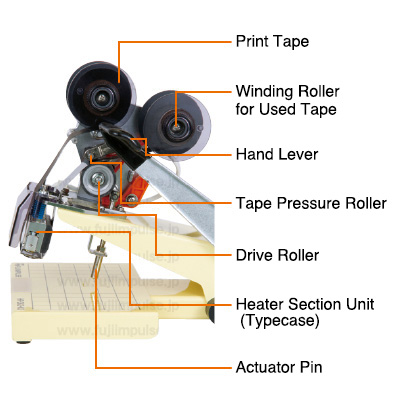
Pressing the lever lowers the actuator pin and rotates the drive roller.
The surface of the unused tape aligns with the type, allowing carbon to be transferred by the heater unit.
After printing, the used tape is wound up by the winding roller.
■ Beautiful Printing with Simple Operation
A portable printer of light weight and compact size.
No complicated operations or settings are required after turning on the power switch.
■ Movable Type Printing
Printing content can be changed by replacing the type.
The types are made of brass.
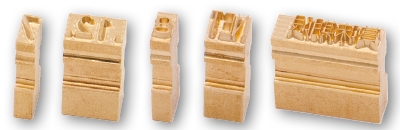
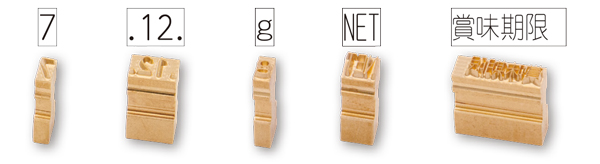
HP-362-N3 uses N3 Brass Type.
2-Line Printing Sample
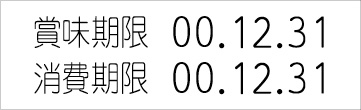
■ No Ink Used
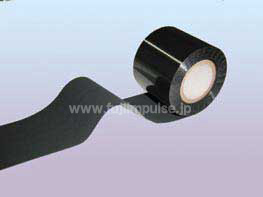
Hot stamping creates prints by pressing heated type to burn and bond the print tape onto the object, without using ink.
Standard Consumption per Print Tape
・ 2-Line Printing About 6,000 Prints
・ 1-Line Printing About 12,000 Prints
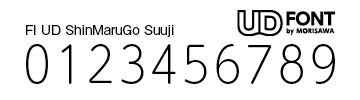
■ Easy-to-Read Universal Design Font Adopted
Arabic numeral typeface uses MORISAWA’s UD font, which offers excellent readability.
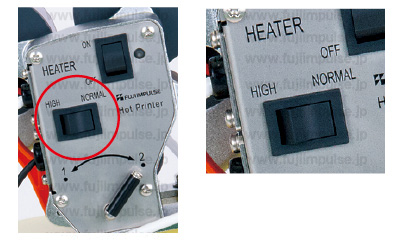
■ Adjustable Printing Temperature for Various Environments
The printing temperature can be set to two levels to suit different packaging materials and work environments.
For example, selecting HIGH in cold regions expands the usable range.
■ Stable Printing Performance
■ Reduced Thermal Deterioration of Print Tape
In previous models, constant contact between the type and print tape caused unclear prints after a break.
To eliminate this instability, a tape guide has been adopted to prevent contact between the type and the tape during standby.
This improvement enhances printing stability by reducing tape deterioration caused by unnecessary heating and residual heat.
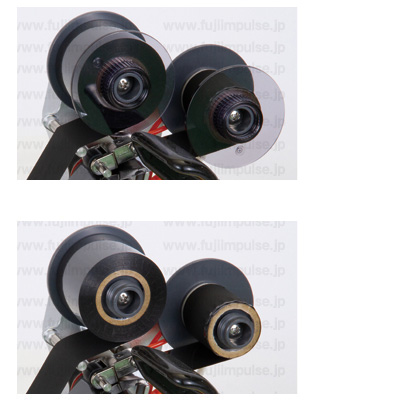
■ Reduced Winding Failure of Print Tape
The print tape securing method has been improved to reduce winding failures and prevent unclear printing.
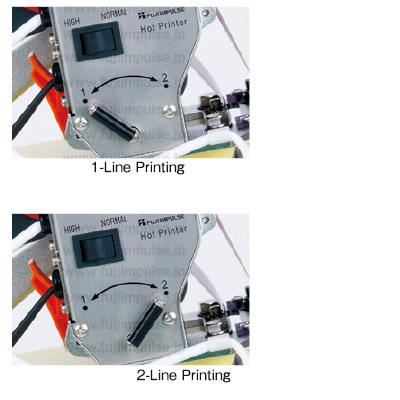
■ Adjustable Printing Line
One-line or two-line printing can be selected based on the type holder’s content.
For one-line printing, insert a 36 mm spacer into the type holder.
After changing the printing line, adjust the tape feed amount accordingly to avoid wasting print tape.
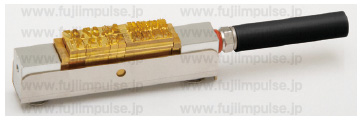
■ Easy Type Replacement
Type holder, which aligns the types, can be easily detached by pulling it out from the side of the heater section.
This design simplifies replacement and reduces workload.
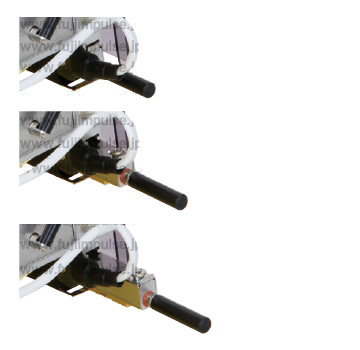
■ Easy Print Tape Replacement
HP-362-N3 uses flanges to secure the print tape, making replacement easier.
Removing the flanges before replacement helps prevent the paper core from staying fixed while the tape separates.
Video
|
|
 |
Although this video is in Japanese, it visually demonstrates how to operate the printer.
Print Tape
Please use genuine FUJIIMPULSE consumable parts.
Genuine consumable parts are specifically developed for FUJIIMPULSE sealers and printers.
To maintain optimal performance and stability, please use genuine consumable parts.
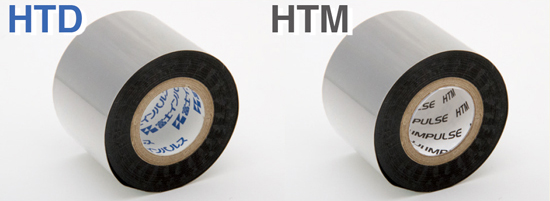
■ Print Tapes for Various Packaging and Applications
Two types of print tape are available to accommodate different packaging and applications.
For high-quality printing, please select the appropriate tape.
Parts Name |
Image |
Parts Number |
Sales Unit |
Compatible Film Material |
Print Color |
Paper Core Color |
Print Tape HTD |

|
53501 |
10 pcs/set |
PE、PP |
Black |
Blue |
Print Tape HTM |

|
53496 |
10 pcs/set |
Ny、PP |
Black |
Black |
● Click the image to view a larger version.
・ Each roll of print tape is 60 m long.
・ The printer includes the following print tapes:
HTD: 2 rolls (one is pre-installed)
HTM: 1 roll